
Installing Citrix Files (ShareFile)
Issue
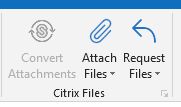
The user does not have the Citrix Files (ShareFile) buttons / add-in available in Outlook.
Solution
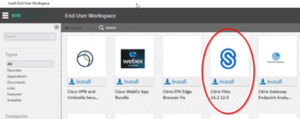
Citrix Files (ShareFile) can be added to the user’s computer either through the Ivanti Portal Manager or pushed to the user’s machine from the Ivanti Web Console (KA 3920).
Note the user must be a “ShareFile” user in IAM tools for this to work:

See ShareFile Entitlement if the user does not have this entitlement.
Portal Manager:
Ivanti Web Console:

CI = N/A
Service Catalog Values = Application Support > How Do I? > General Request
Escalation Tree:
Tier 1: IS – Support – Help Desk
Tier 2: IS – Support – LEB Software (Or Regional Support)
Tier 3: N/A
0 Comments